Load Balancer

Load Balancer

Spread traffic, stay up
Try Load Balancer →

Spread traffic across your servers and keep serving when one fails (Beta)

Our own load balancer for Linux, installed with one command and managed from your browser: round robin, weighted, least connections, least loaded (CPU and memory) and IP hash routing, read/write split, sticky sessions, HTTP and TCP, automatic health checks and live traffic charts.

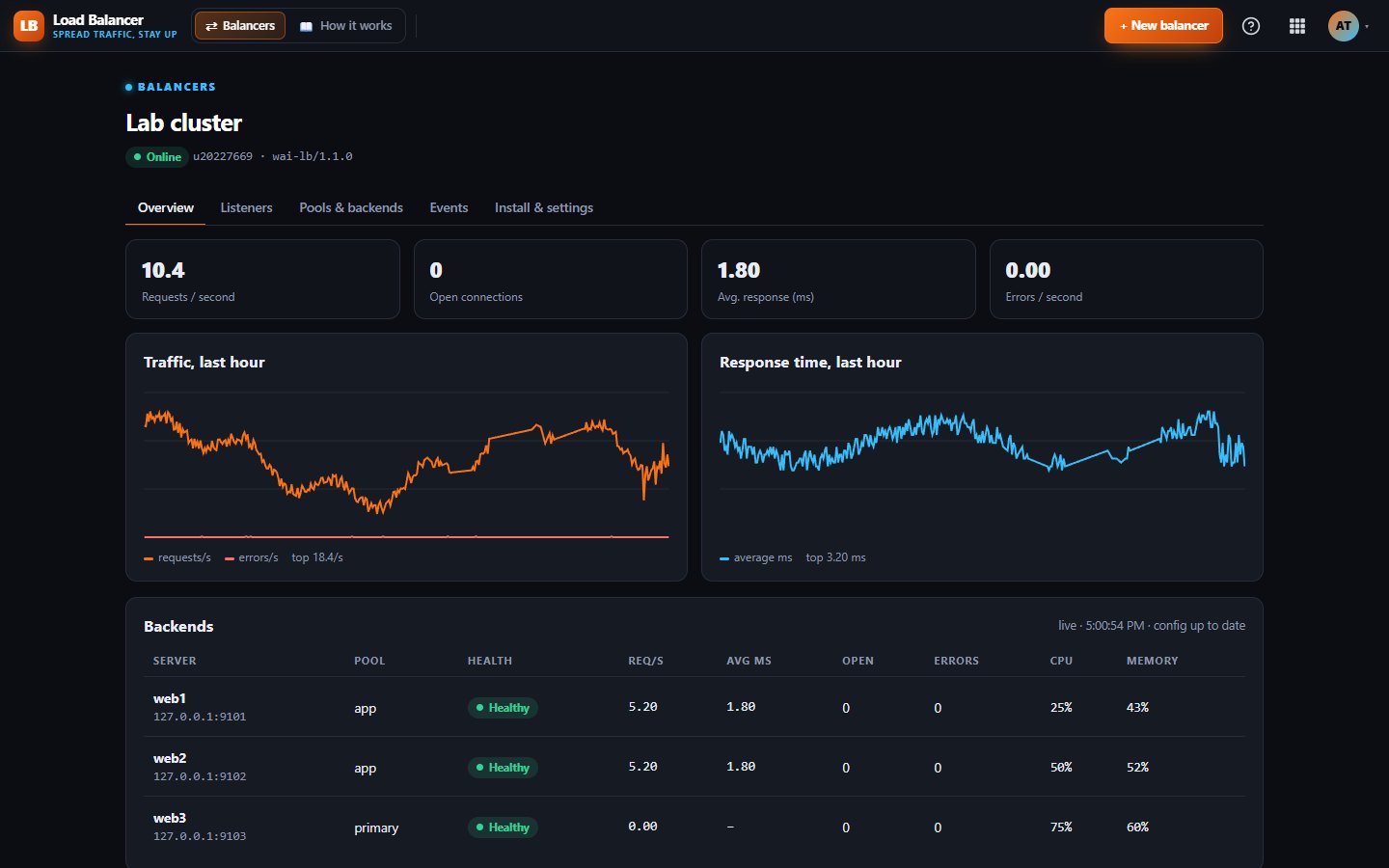
Live traffic, every backend

What Load Balancer does for you

When one server is not enough, or you cannot afford for it to go down, you need something in front that shares the load. Our Load Balancer is our own software for Linux. You install it on your server with one command and manage it from your browser.

It sends each request or connection to a healthy server, takes failing servers out on its own and puts them back when they recover. Load Balancer is in Beta while we finish HTTPS handling and a few more alerts.

One-command install

Create a balancer in the panel and copy the install command. It runs as a normal system service and keeps working on its saved settings even if it cannot reach us.

Smart routing

Choose round robin, weighted, least connections, random, IP hash or least loaded, which uses the CPU and memory reported by a small agent on each backend.

HTTP and TCP

HTTP mode adds forwarding headers, sticky sessions and an optional read and write split that sends changes to a separate pool. TCP mode passes any connection straight through, including databases and encrypted traffic.

Health checks that act

HTTP or TCP checks with your own interval and pass and fail counts. A failing backend is taken out and returned automatically, and your WAI bell tells you when it goes down or comes back.

Live traffic view

See requests per second, open connections, response times, errors and backend load on a live dashboard, with an event log of every change.

Safety rules on your server

Optional rules in a file on your own server limit which ports and backends the balancer may use, so the panel cannot open anything you did not allow. It can also run without root.
Works with

UptimeUptimeThe WAI Agent installer from Uptime can install the Load Balancer in the same step, so one command sets up both server monitoring and balancing.

What's included on each plan

Free

Every Load Balancer feature is included on Free, with 1 user and 30 days of account activity history.

Starter

Starter has the same Load Balancer features for 2 users, with 90 days of activity history.

Business

Business adds 5 users, 365 days of activity history and a CSV export of the activity log.

Included in every WAI plan

One subscription covers this app and every other business app: Free $0, Starter $19/mo, Business $49/mo for 5 users.

No limits on this app: the same on every plan.

Compare plans →

Questions

Can it handle HTTPS?

Not as a finishing point yet. Today you can pass HTTPS through in TCP mode, or handle it on your backend servers. Built-in certificates with automatic renewal are on our list.

What do I need to run it?

A Linux server with Perl, which most already have. It supports IPv4 today. Backend load figures need our small agent on each backend, and the other routing methods work without it.

What happens if your panel goes offline?

Your balancer keeps running on the last settings it saved. Live stats and changes resume once it can reach us again.

Is there an API?

Not yet. Everything is managed from the web panel for now.

Get started with Load Balancer

Free tier. No credit card. Change or cancel any time.

Try Load Balancer →