Saved Tabs

Saved Tabs

Read it later: your saved tabs on every device
Try Saved Tabs →

Save a page on one device and read it later on any other, nothing to install (Beta)

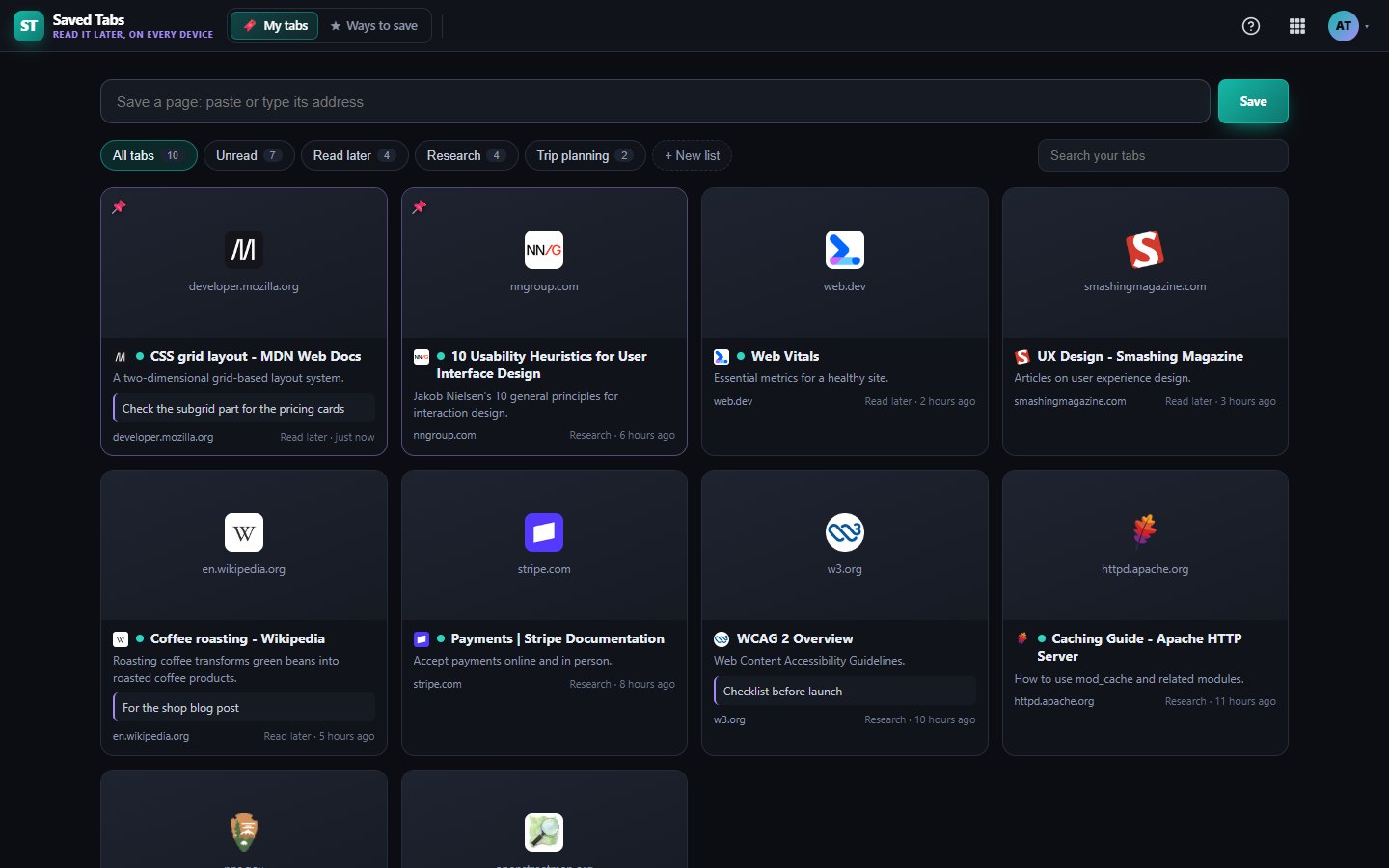
Save any page from your computer or your phone and open it later anywhere you sign in. Nothing to install: a Save button for your bookmarks bar, your phone's Share menu, or paste the address. Sort tabs into lists, pin them, add notes and tick them off as read.

Your saved tabs, on every device

What Saved Tabs does for you

You find something worth reading on your phone, then forget it by the time you sit at your computer. Saved Tabs keeps one list of pages you want to come back to, and it is there wherever you sign in.

There is no extension or app to install. Save with a button on your bookmarks bar, from your phone, or by pasting the address. Saved Tabs is in Beta while we add more ways to save and read.

Save from anywhere

Drag our Save button to your bookmarks bar and click it on any page. On Android, add Saved Tabs to your home screen and it appears in the Share menu. Or just paste an address.

Pictures and titles filled in

Each saved page gets its title, a short description, a picture and the site icon, so your list is easy to scan.

Your own lists

Sort pages into lists for work, recipes, shopping or anything else, and move them between lists as plans change.

Pins, notes and read or unread

Pin the ones that matter, add a note to remember why you saved it, and tick pages off as read. A dot marks what you have not opened yet.

Search everything you saved

Find a page by its title, site or your note, across every list.

Works on your phone

The layout is made for small screens too, and your list refreshes on its own so a page saved on one device shows up on the other.
What's included on each plan

Free

Saved Tabs is fully included on Free, with every feature.

Starter

Starter has the same Saved Tabs features, there is nothing extra to unlock.

Business

Business has the same Saved Tabs features as every other plan.

Included in every WAI plan

One subscription covers this app and every other business app: Free $0, Starter $19/mo, Business $49/mo for 5 users.

No limits on this app: the same on every plan.

Compare plans →

Questions

Can it see the tabs I have open?

No. A website cannot see your open tabs without a browser extension, and we chose not to make you install one. You save the pages you want to keep.

Does it work on iPhone?

Yes, sign in from any browser to see and open your saved tabs. To save from an iPhone today, paste the address into the save box. A Share menu shortcut for iPhone is on our list.

Can I share a list or import my bookmarks?

Not yet. Saved tabs are private to you today. Sharing a list and importing bookmarks are both on our list.

Who can see my saved tabs?

Only you, when you are signed in to your WAI account.

Get started with Saved Tabs

Free tier. No credit card. Change or cancel any time.

Try Saved Tabs →