A public status page your customers can check, kept up to date by your monitors
A branded public status page for your customers, fed by your Uptime monitors, with incidents and history. Part of Uptime, included in every WAI plan.
A public status page your customers can check, kept up to date by your monitors
A branded public status page for your customers, fed by your Uptime monitors, with incidents and history. Part of Uptime, included in every WAI plan.
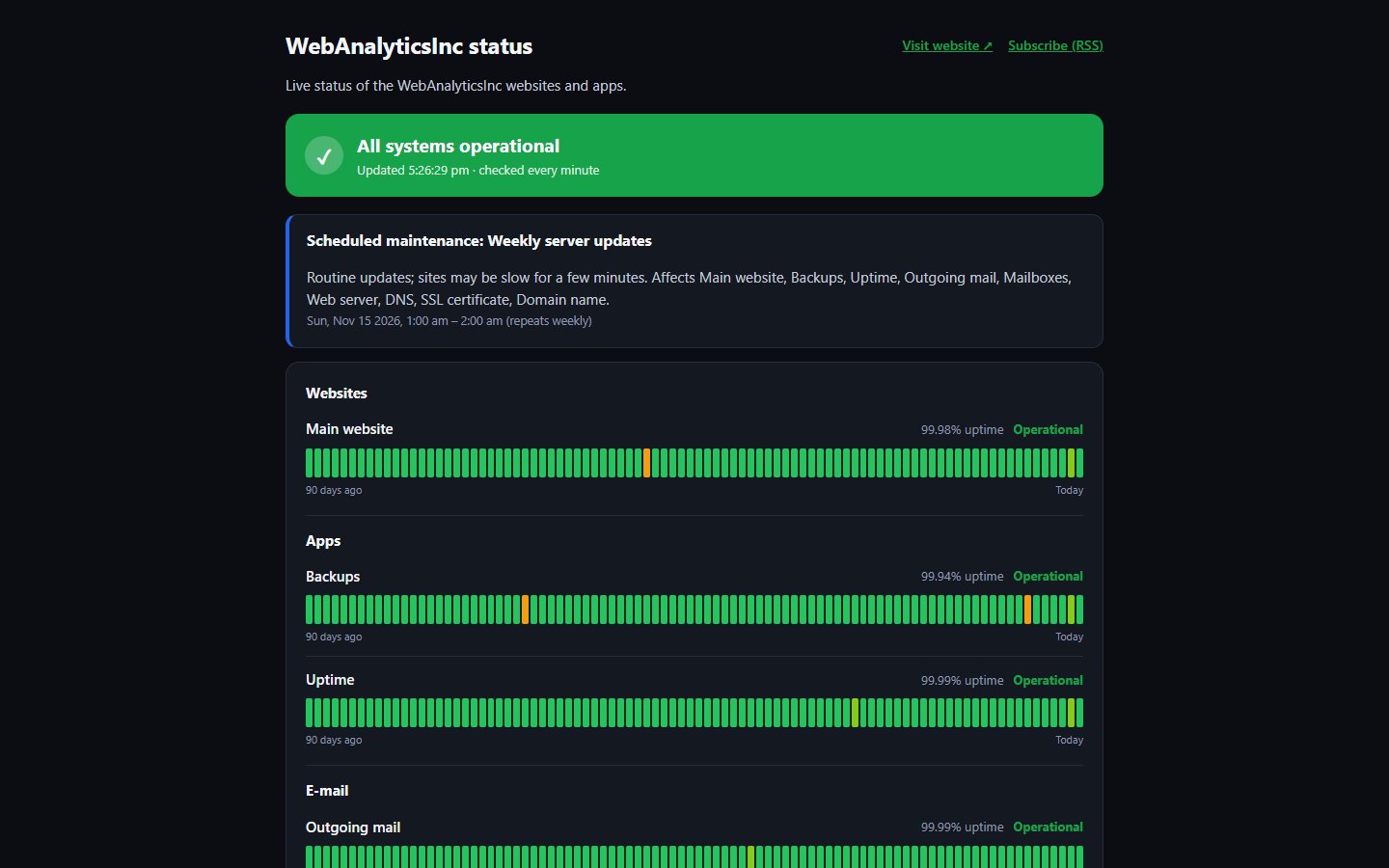
When your site has a problem, customers want to know if it is you or them. A status page answers that before they write in. Ours is built into Uptime, so the page shows the live state of the monitors you pick, with no copying and pasting.
You choose the name, logo, colours and which parts of your service to show. When something goes down, the page says so on its own, and you can post updates as you work on the fix.
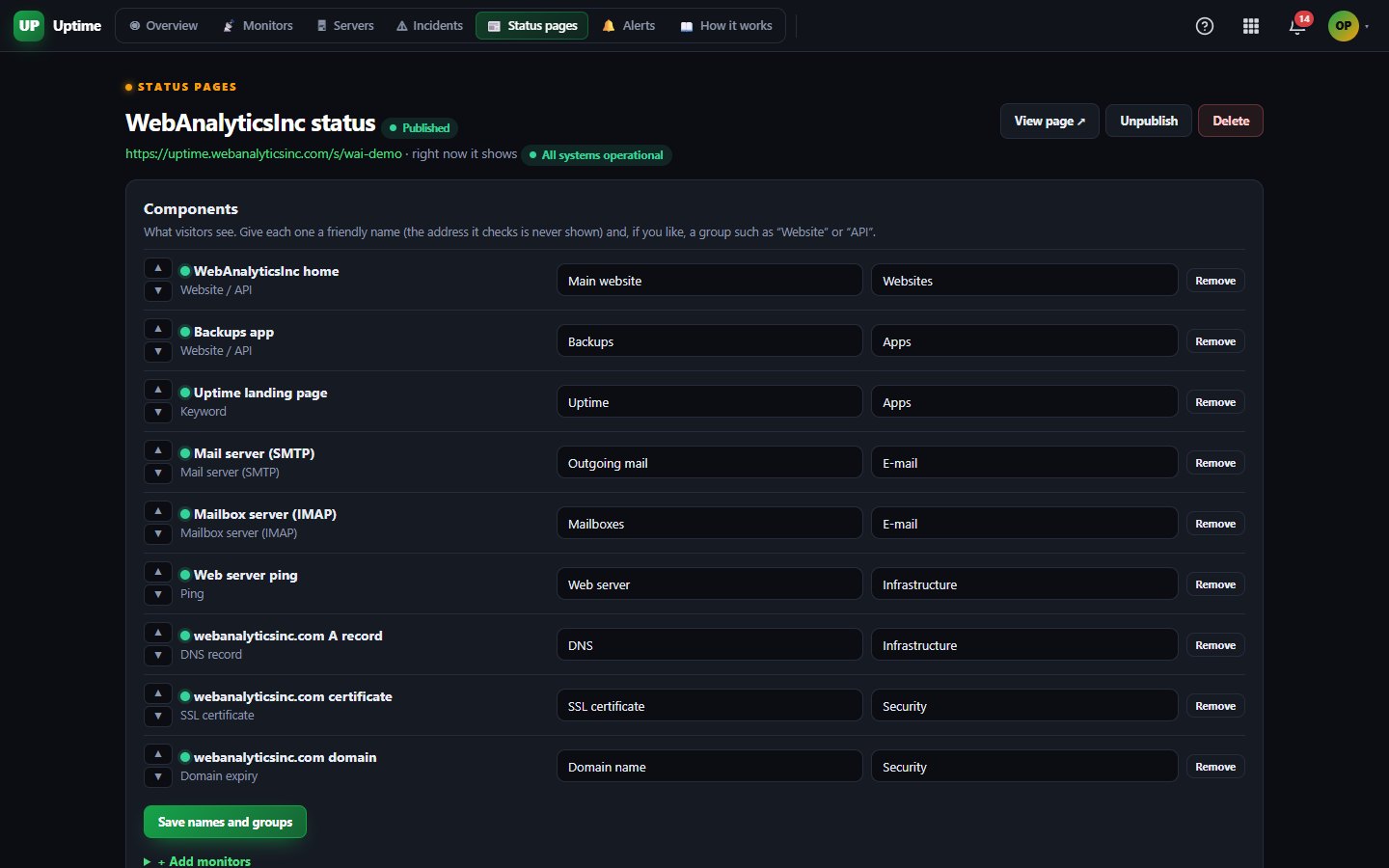
Each part of your service on the page is tied to an Uptime monitor. If a check fails, the banner changes and a notice appears even before you post anything.
Post updates as Investigating, Identified, Monitoring and Resolved. Past incidents and a history page stay on the page so people can see how you handled them.
Each component shows 90-day uptime bars with a tooltip for every day, plus a response time chart if you want it.
Add a maintenance window and choose to show it on the page, so planned work does not look like an outage.
Upload a logo, pick a colour and a light or dark theme, group components with friendly names, and keep the page private with a password or hidden from search engines.
Visitors can follow along by RSS, Atom or a JSON feed, and you can embed a small status or uptime badge on your own site.
Status pages are included on Free, fed by up to 3 Uptime monitors checked every 5 minutes.
Starter feeds your pages from up to 25 monitors checked as often as every minute, and adds the Uptime API and webhooks.
Business raises this to 100 monitors checked every 30 seconds, with the API, webhooks and on-call paging included.
One subscription covers this app and every other business app: Free $0, Starter $19/mo, Business $49/mo for 5 users.
| Limit | Free | Starter | Business |
|---|---|---|---|
| Monitors | 3 | 25 | 100 |
| Fastest check | Every 5 min | Every 1 min | Every 30 s |
| Servers (WAI Agent) | 1 | 5 | 50 |
| Server metrics history (days) | 1 | 30 | 90 |
| Server log search + log alerts | Not included | Not included | 1 |
| On-call schedule + escalation | Not included | Not included | 1 |
| API checks (multi-step) | Not included | 10 | 50 |
Not yet. Today each page lives at its own address on our Uptime site, and you can link to it from your website or app. A custom domain option is on our list.
Not today. We left e-mail subscriptions out on purpose for now. Visitors can follow your page with RSS, Atom or the JSON feed instead.
From one location today, our own server. A monitor only goes down after it fails twice in a row, so a single blip does not change your page. We plan to add a second check location.
No. Status pages are part of Uptime, which is included in every WAI plan. You only need monitors for the things you want to show.
Free tier. No credit card. Change or cancel any time.
Make a status page →