Find out the moment a scheduled job stops running, not weeks later
Your cron jobs, backups and scheduled tasks ping a private URL each time they run. If a ping is late, you get an alert. Part of Uptime, included in every WAI plan.
Find out the moment a scheduled job stops running, not weeks later
Your cron jobs, backups and scheduled tasks ping a private URL each time they run. If a ping is late, you get an alert. Part of Uptime, included in every WAI plan.
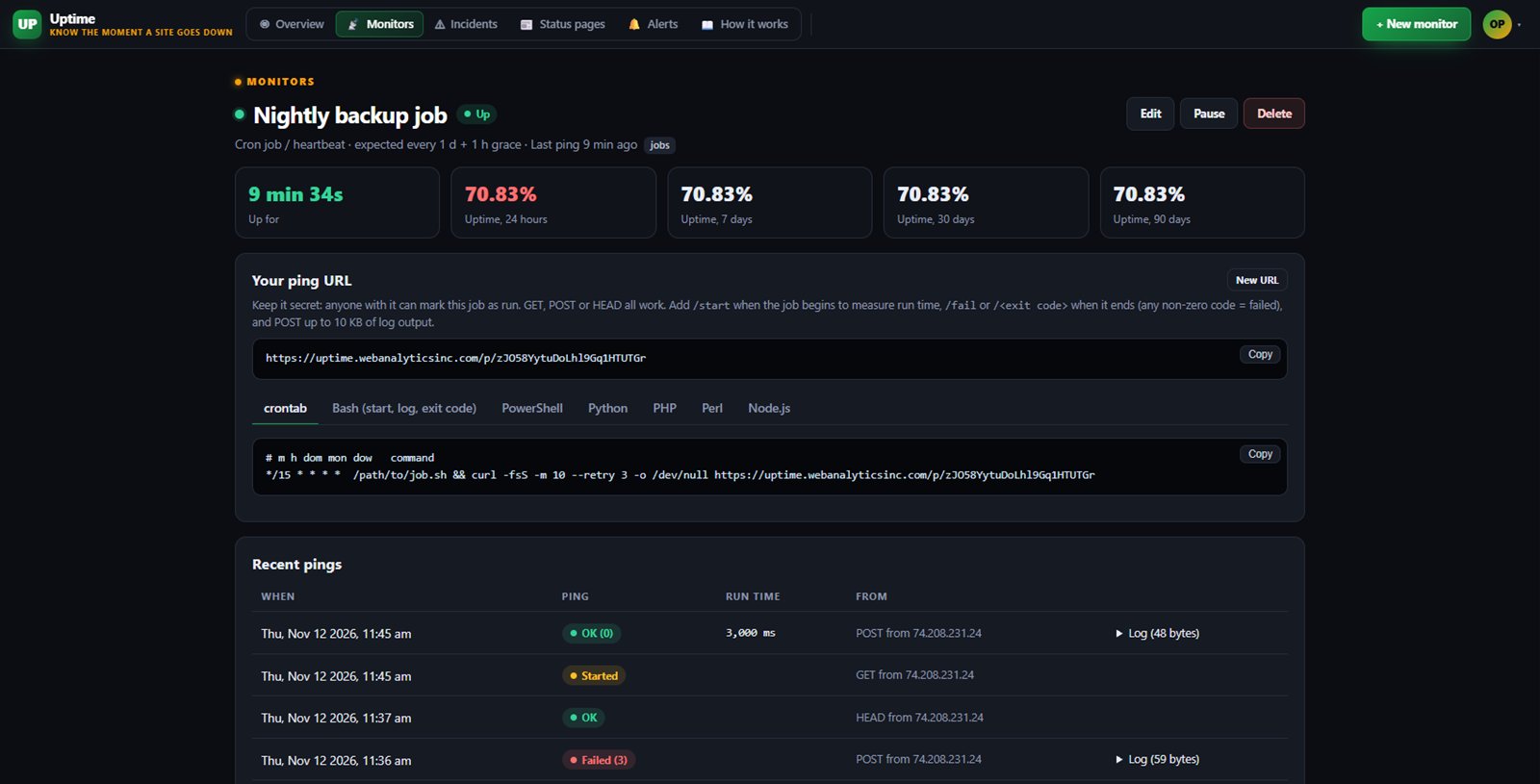
Cron jobs and scheduled tasks fail quietly. A nightly backup or a report can stop running and nobody notices until the day you need it. Our cron monitor turns that silence into an alert.
Each job gets a private ping address. Your job calls it when it runs. If the call does not arrive on time, or the job reports a failure, we tell you. It is part of Uptime and works with any language or server that can make a web request.
Add one line to the end of your job and it checks in each time it runs. Any web request works: GET, POST or HEAD.
Set how often the job should run and a grace period. If a ping is late, or your job calls the fail address or sends its exit code, the monitor goes down and alerts you.
Call the start address when the job begins and we measure how long each run takes, and flag a run that started but never finished. You can send the last part of your log, up to 10 KB, with each ping.
Ready examples for crontab, Bash, PowerShell, Python, PHP, Perl and Node, with a crontab line that follows the period you set.
Get alerts by e-mail, Slack, Discord or webhook, plus your WAI bell. Maintenance windows pause alerts during planned work.
Free includes up to 3 Uptime monitors, and each cron job you watch counts as one.
Starter gives you up to 25 monitors plus the Uptime API and webhooks.
Business gives you up to 100 monitors, the API and webhooks, and on-call paging.
One subscription covers this app and every other business app: Free $0, Starter $19/mo, Business $49/mo for 5 users.
| Limit | Free | Starter | Business |
|---|---|---|---|
| Monitors | 3 | 25 | 100 |
| Fastest check | Every 5 min | Every 1 min | Every 30 s |
| Servers (WAI Agent) | 1 | 5 | 50 |
| Server metrics history (days) | 1 | 30 | 90 |
| Server log search + log alerts | Not included | Not included | 1 |
| On-call schedule + escalation | Not included | Not included | 1 |
| API checks (multi-step) | Not included | 10 | 50 |
No. Your job only needs to call a web address, with curl, a script or any HTTP library. Nothing runs on your server from us.
Use the start address at the beginning and the normal ping at the end. We record the run time, and if a run starts but does not finish in time we treat it as stuck and alert you.
Yes. Each cron job you watch is one monitor on your plan, the same as a website check.
It is a long secret address that only marks that one job as run. If it ever leaks, make a new address from the monitor page and update your job.
Free tier. No credit card. Change or cancel any time.
Add a cron monitor →