Flows

Flows

Automations between your WAI apps
Try Flows →

When something happens in one WAI app, Flows does the follow-up in another

When something happens in one WAI app, Flows does the follow-up in another: a new booking becomes a CRM contact, a paid order becomes a task, a site that goes down pings your bell. Templates, filters, waits, schedules, run history and retries.
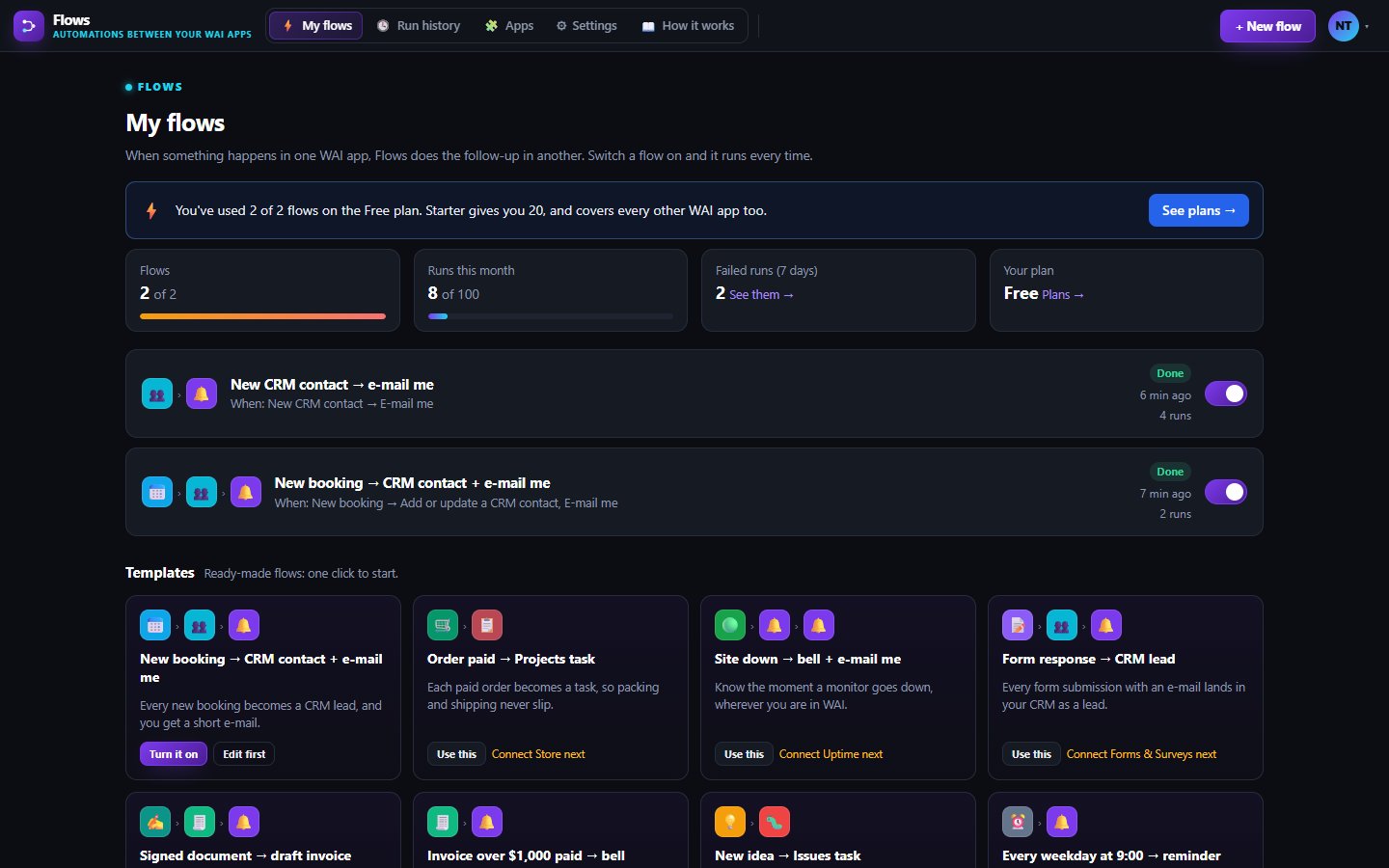
Your flows, on or off with one switch

What Flows does for you

Flows is for busy owners who keep copying the same details from one app to the next. Pick a trigger, such as a new booking or a paid invoice, then add the steps that follow.

Connecting an app takes one click and no API keys, because every WAI app runs on our own servers. Flows works between WAI apps, plus webhooks in and out.

Templates and one-click connections

Switch on a ready-made flow, then change any step. Connecting an app finds your account there by your WAI e-mail, and disconnecting removes its access.

Filters, waits and schedules

Only run when a field matches, wait up to 30 days before the next step, or run every hour, day, weekday or week.

Fields from the trigger

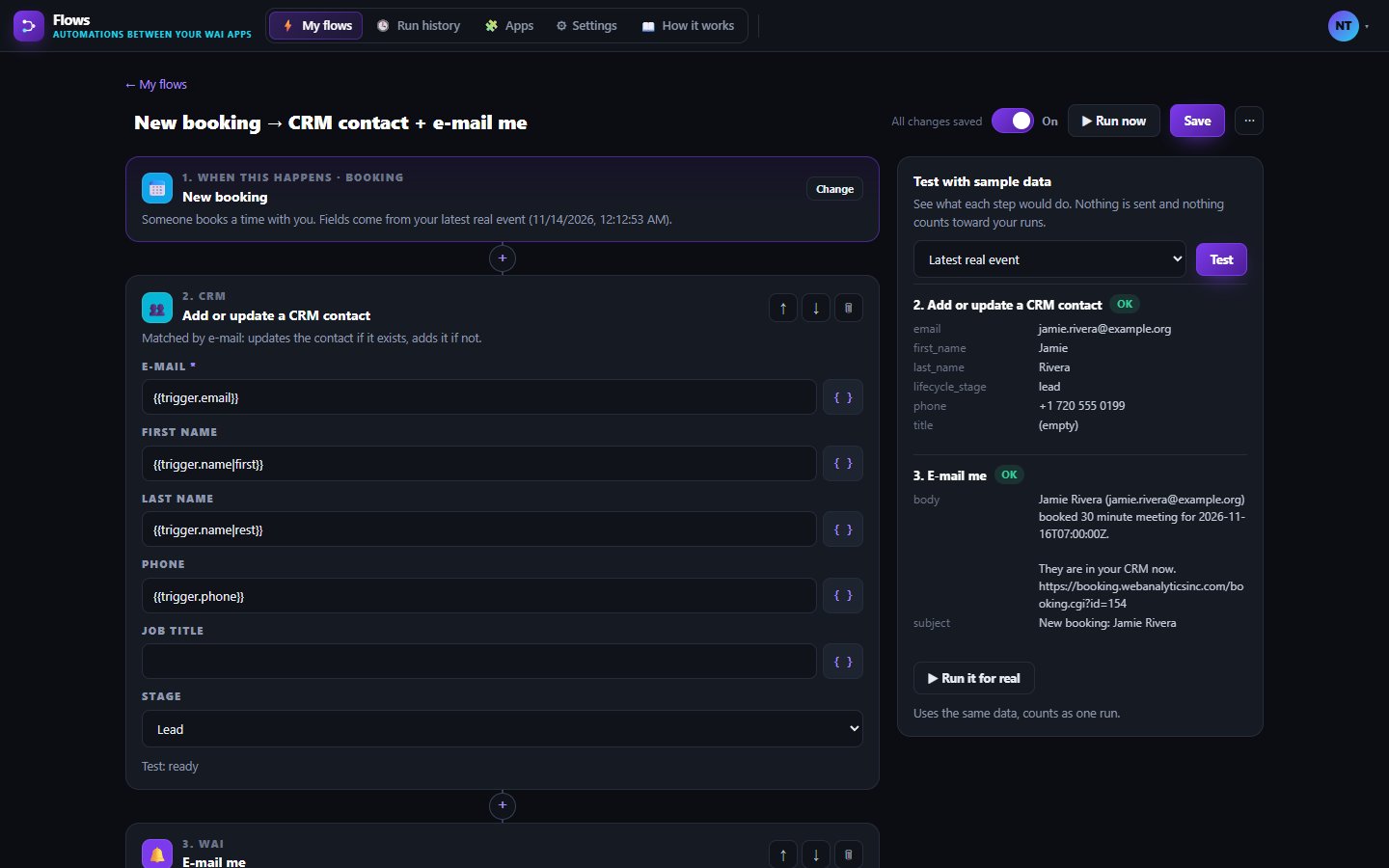
Drop the guest name, e-mail or invoice total into any later step with the field picker. Test with sample data before you turn a flow on.

Run history and retries

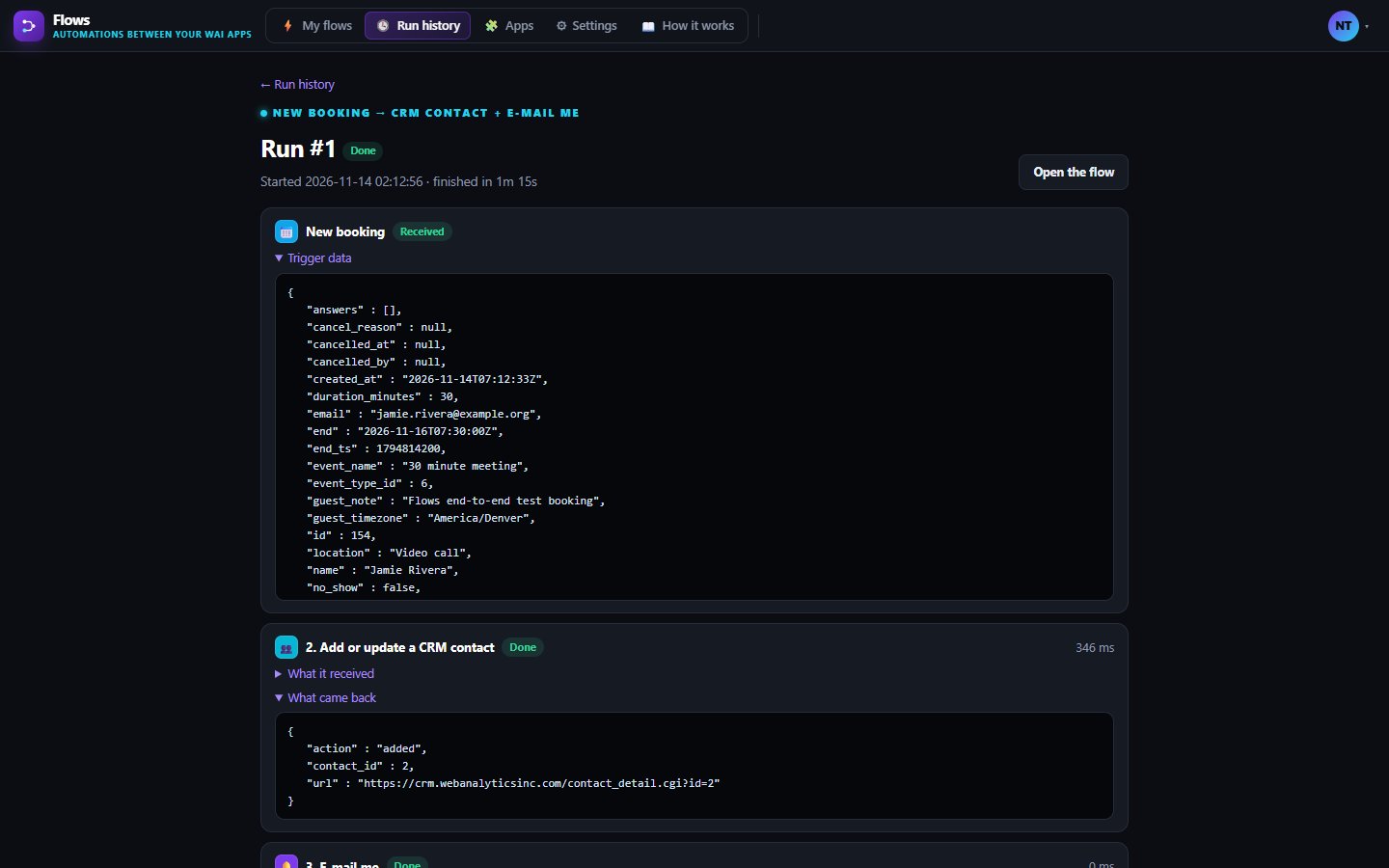
Every run shows each step's input and output. Network errors retry after 1, 5 and 30 minutes, and you get a bell note when a flow fails.

Webhooks in and out

Send data to any address with a signed webhook step, or start a flow from any service that can post JSON to your private address.

Works with

BookingBookingNew, moved and cancelled bookings can start a flow, such as adding the guest to your CRM.CRMCRMFlows adds or updates a CRM contact matched by e-mail, and a new CRM contact can start a flow.ProjectsProjectsAny flow can create a task in one of your projects, with the details from the trigger.InvoicesInvoicesPaid, overdue and sent invoices can start a flow, and Flows can save a draft invoice for you to check and send.

Inside Flows

Build it as a list of steps
Every run, step by step

What's included on each plan

Free

2 flows and 100 runs a month, for 1 user.

Starter

20 flows and 2,000 runs a month for 2 users, plus the Flows API and webhooks.

Business

Unlimited flows and 25,000 runs a month, with 5 users included and more seats available.

Included in every WAI plan

One subscription covers this app and every other business app: Free $0, Starter $19/mo, Business $49/mo for 5 users.

LimitFreeStarterBusiness
Flows220Unlimited
Runs a month1002,00025,000
Compare plans →

Questions

Which apps can start a flow?

Most of the suite, including Booking, Invoices, Uptime, CRM, Forms and Surveys, Support, Issues, Inventory, Proposals, People, Transfer, Reviews and Events, plus schedules and incoming webhooks. Steps can update CRM, create a task, an issue or a draft invoice, e-mail you or ping your bell.

What happens when I use up my monthly runs?

We send a bell note at 80 and 100 percent. After that, new events wait without running until the next month starts or you move to a bigger plan. Test runs with sample data never count.

Can Flows connect to outside tools like Slack or Gmail?

Not directly yet. Use a webhook step to send data out, or an incoming webhook to start a flow from another service.

Can a flow add an event to my WAI Calendar?

Not yet. WAI Calendar has no way for Flows to add events today, so that step is still on our list.

Get started with Flows

Free tier. No credit card. Change or cancel any time.

Try Flows →