Drive

Drive

All your files, one place
Open Drive →

Every file from your WAI office apps, plus your own uploads, in one place

Everything you make in Docs, Sheets, Slides, Diagrams, PDF, Graphs and Notes shows up in Drive by itself, next to any file you upload. Search across every app, star what matters, open each file in the app that made it, and see your storage at a glance.

One home for every file

What Drive does for you

Drive is the home for your work across WAI. Files from the office apps show up here by themselves, next to any file you upload, so you can find anything without remembering which app made it.

Drive reads files where they already live, so nothing is copied twice. Open a file and it opens in the app that made it.

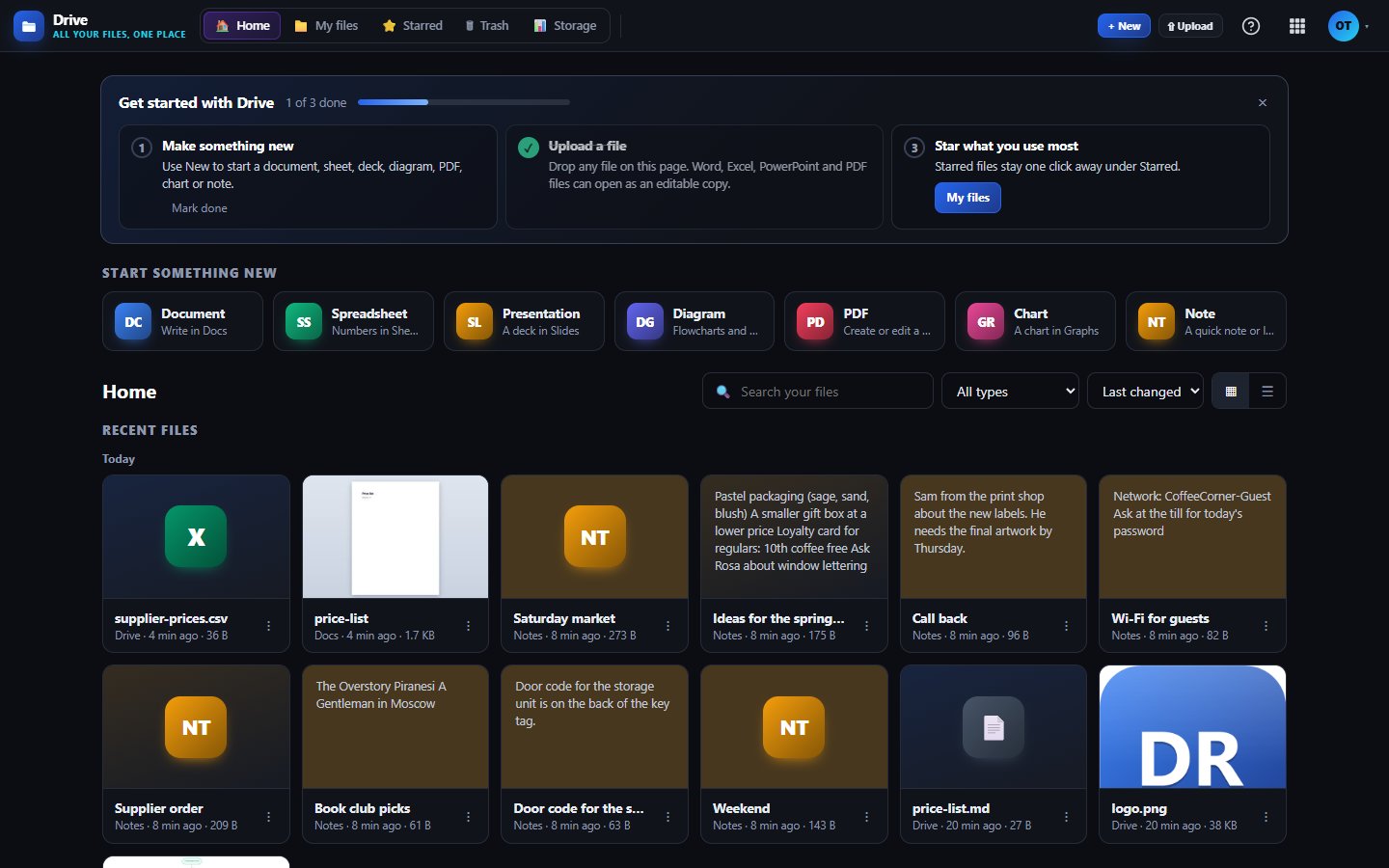
Recent files from every app

Home lists what you worked on today, yesterday, this week and earlier, from Docs, Sheets, Slides, Diagrams, PDF, Graphs, Notes, Sign and Transfer.

Search, filter and stars

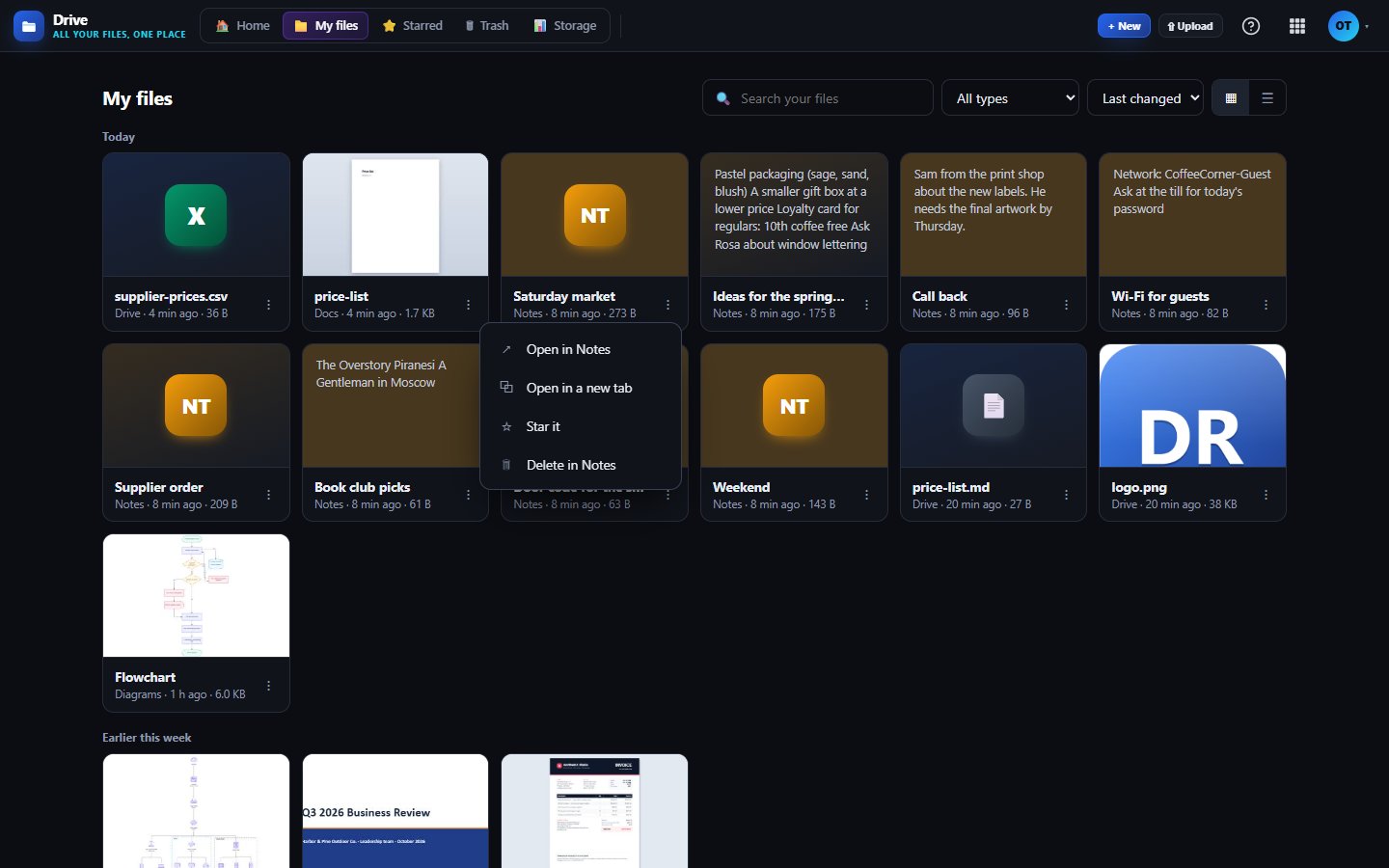
Find a file by name, filter by type, sort by date, name or size, and star the ones you use most. Pick grid or list and we remember it.

Upload anything

Drop files anywhere on the page and watch the progress. Images and PDFs preview right in the browser.

Office files become editable

Open a Word, Markdown or text file in Docs, an Excel or CSV file in Sheets, a PowerPoint deck in Slides, or a PDF in PDF. Your upload stays untouched.

See your storage

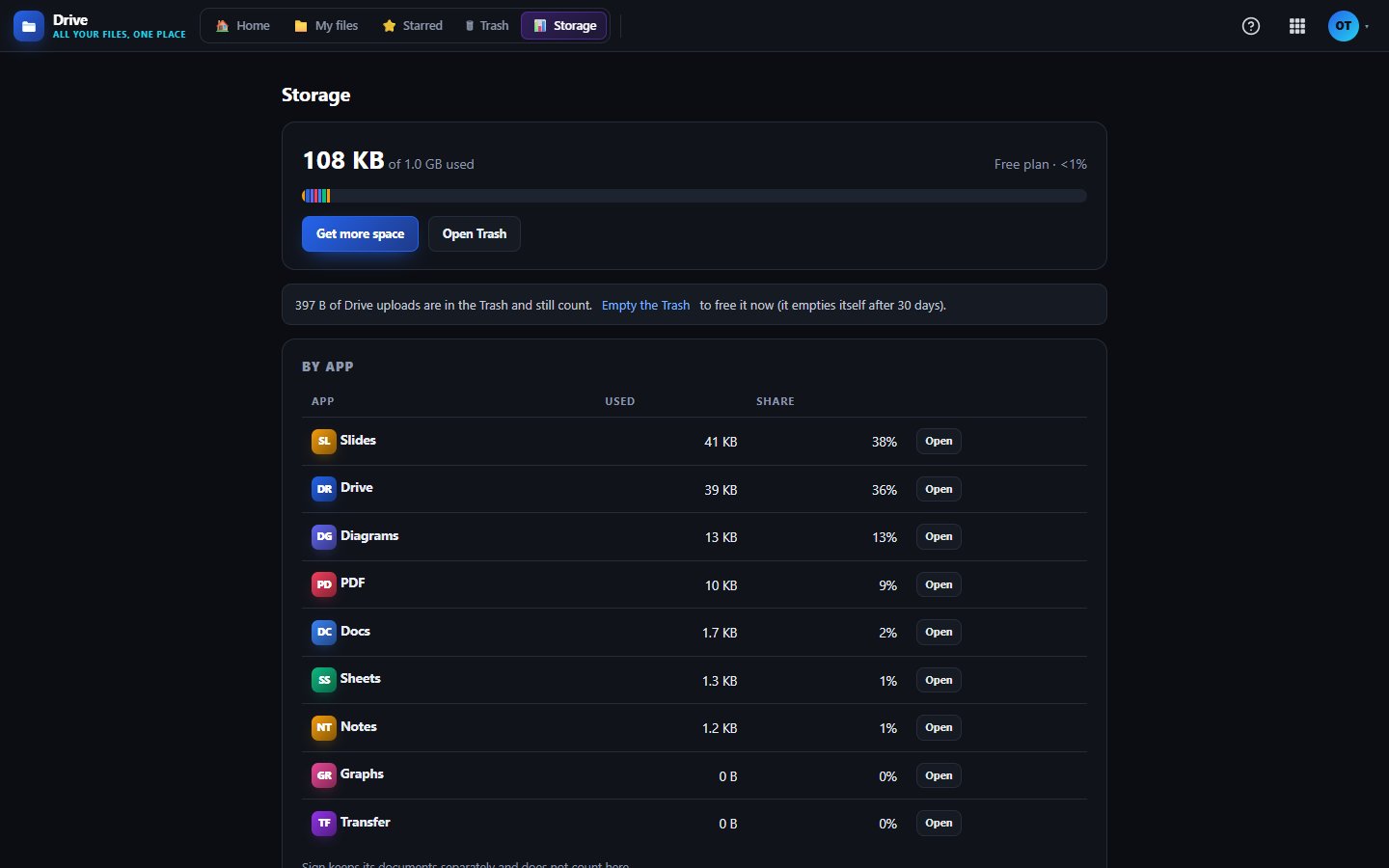
A bar for each app, your biggest uploads and what sits in Trash. Uploads in Trash are erased after 30 days.
Works with

DocsDocsYour documents appear in Drive, and uploaded Word, Markdown and text files open in Docs as an editable copy.SheetsSheetsYour spreadsheets appear in Drive, and uploaded Excel and CSV files open in Sheets as an editable copy.NotesNotesEvery note you write in Notes is listed in Drive and found by the same search.TransferTransferFiles you send or receive in Transfer are listed in Drive alongside your own uploads.

Inside Drive

Search, star and open in the right app
Storage at a glance
Storage at a glance

What's included on each plan

Free

1 GB of storage and uploads up to 25 MB each, for 1 user.

Starter

25 GB of storage, uploads up to 250 MB each and 2 users, plus API access and webhooks.

Business

100 GB of storage, uploads up to 1 GB each and 5 users included, with the same API and webhooks.

Included in every WAI plan

One subscription covers this app and every other business app: Free $0, Starter $19/mo, Business $49/mo for 5 users.

LimitFreeStarterBusiness
Storage (GB)125100
Largest upload (MB)252501,024
Compare plans →

Questions

Are there folders?

No, by design. Drive is one list with search, stars, type filters and sorting, which we find quicker than digging through folders.

What counts toward my storage?

Your plan's storage is shared by the WAI office apps, and the Storage page shows how much each one uses. Drive checks your space before an upload starts and tells you if a file will not fit.

What happens when I delete a file?

Files you uploaded to Drive go to Drive's Trash, where you can restore them for 30 days. Files made in another app are managed in that app's own Trash, and Drive links you straight to it.

Can I open Visio or draw.io files from Drive?

Not from Drive yet. Open Diagrams and use its import instead, which reads both formats.

Get started with Drive

Free tier. No credit card. Change or cancel any time.

Open Drive →