Events

Events

Event and webinar registration
Try Events →

Put your event online, take free registrations and check people in at the door

Event pages for workshops, classes, meetups and webinars: registration with capacity and a waitlist, calendar invites, reminders, online meeting links for registered people only, QR tickets and phone check-in at the door.

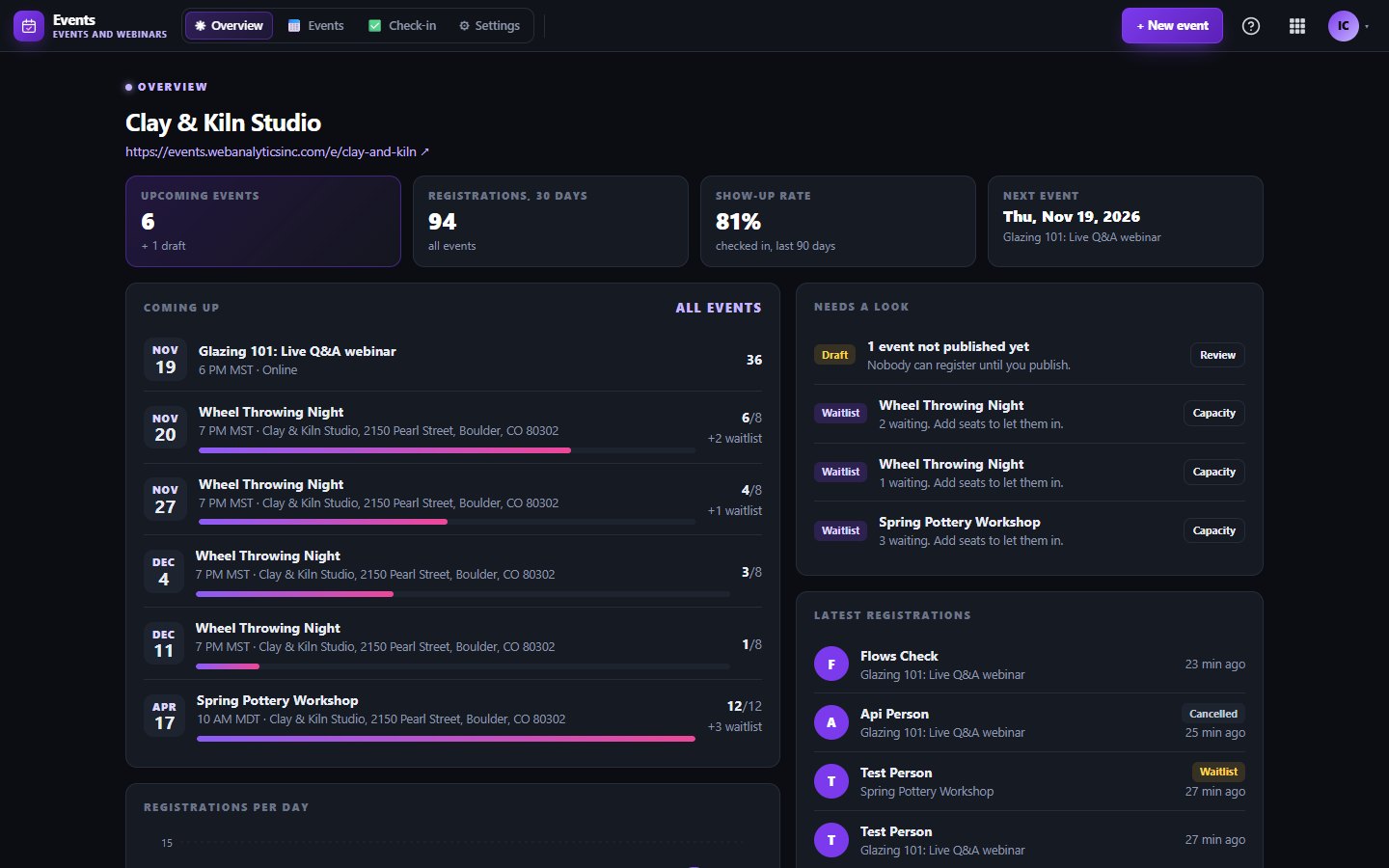
Every event at a glance

What Events does for you

Events is for workshops, classes, meetups and webinars run by small businesses and clubs. Each event gets its own public page with a cover picture, the date in the visitor's own time, a map or an online link, and a simple sign-up form.

People get a ticket page with a QR code, a calendar file and a cancel link. When an event fills up, a waitlist takes over and the next person gets the seat when someone cancels.

A page for every event

Add a title, cover, description, place or online link, and a capacity. Your organizer page lists upcoming and past events, and search engines can read the event details.

Waitlist that fills itself

When seats run out, new sign-ups join a waitlist. If someone cancels, the next person on the list is moved in for you.

Tickets with QR codes

Every registration gets a ticket page with a QR code, add-to-calendar links and a cancel button. The online meeting link is only shown to confirmed guests.

Check-in from your phone

At the door, search a name, tap to check in, type the ticket code or scan the QR code on phones that support it. Several helpers can check in at once.

Attendee list and messages

Filter and search guests, add someone by hand, export a CSV with their answers, and send a thank-you with a feedback link after the event.

Advanced options

On Starter and Business, add custom questions, several ticket types with their own quantities, and repeating events such as a weekly class.
Works with

CRMCRMAttendees can be added to your CRM as contacts, matched by e-mail.NewslettersNewslettersGuests who tick the opt-in box can join a Newsletters list, with double opt-in.FlowsFlowsNew registrations, cancellations and check-ins can start a flow.WebsitesWebsitesAn Upcoming events block shows your events on a WAI website.

What's included on each plan

Free

Free includes 1 upcoming event with up to 50 registrations, and a small Made with WAI badge on the public pages.

Starter

Starter gives you 10 upcoming events, up to 1,000 registrations each, the advanced options, and the API and webhooks.

Business

Business removes the limits on upcoming events and registrations, with the advanced options, API and webhooks.

Included in every WAI plan

One subscription covers this app and every other business app: Free $0, Starter $19/mo, Business $49/mo for 5 users.

LimitFreeStarterBusiness
Upcoming events110Unlimited
Registrations per event501,000Unlimited
Advanced (questions, ticket types, repeating)Not included11
Compare plans →

Questions

Can I sell paid tickets?

Not yet. Events are free to register for today. Paid tickets are built to use card payments and will open once payments go live on WAI.

Do guests get a confirmation e-mail?

Confirmation, reminder and waitlist e-mails are built and switch on at launch. Until then guests see their ticket page right after they register, with the QR code and calendar links.

Can I run an online event or webinar?

Yes. Add a Zoom, Meet, Teams or any other meeting link. We do not host the video ourselves, and the link is only shown to people with a confirmed ticket.

What counts toward the upcoming events limit?

Drafts and upcoming events count. Past and cancelled events do not, so you can keep your history.

Get started with Events

Free tier. No credit card. Change or cancel any time.

Try Events →