Popups

Popups

Popups, slide-ins and bars that grow your list
Try Popups →

Popups, slide-ins and bars that grow your list without annoying visitors

Popups, slide-ins and announcement bars for your website: newsletter signups, discount codes, free downloads and exit intent. A visual editor with live preview, page and timing rules, A/B tests and clear results. Signups go straight to WAI Newsletters (with consent and double opt-in) and your CRM. No cookies, polite on phones.

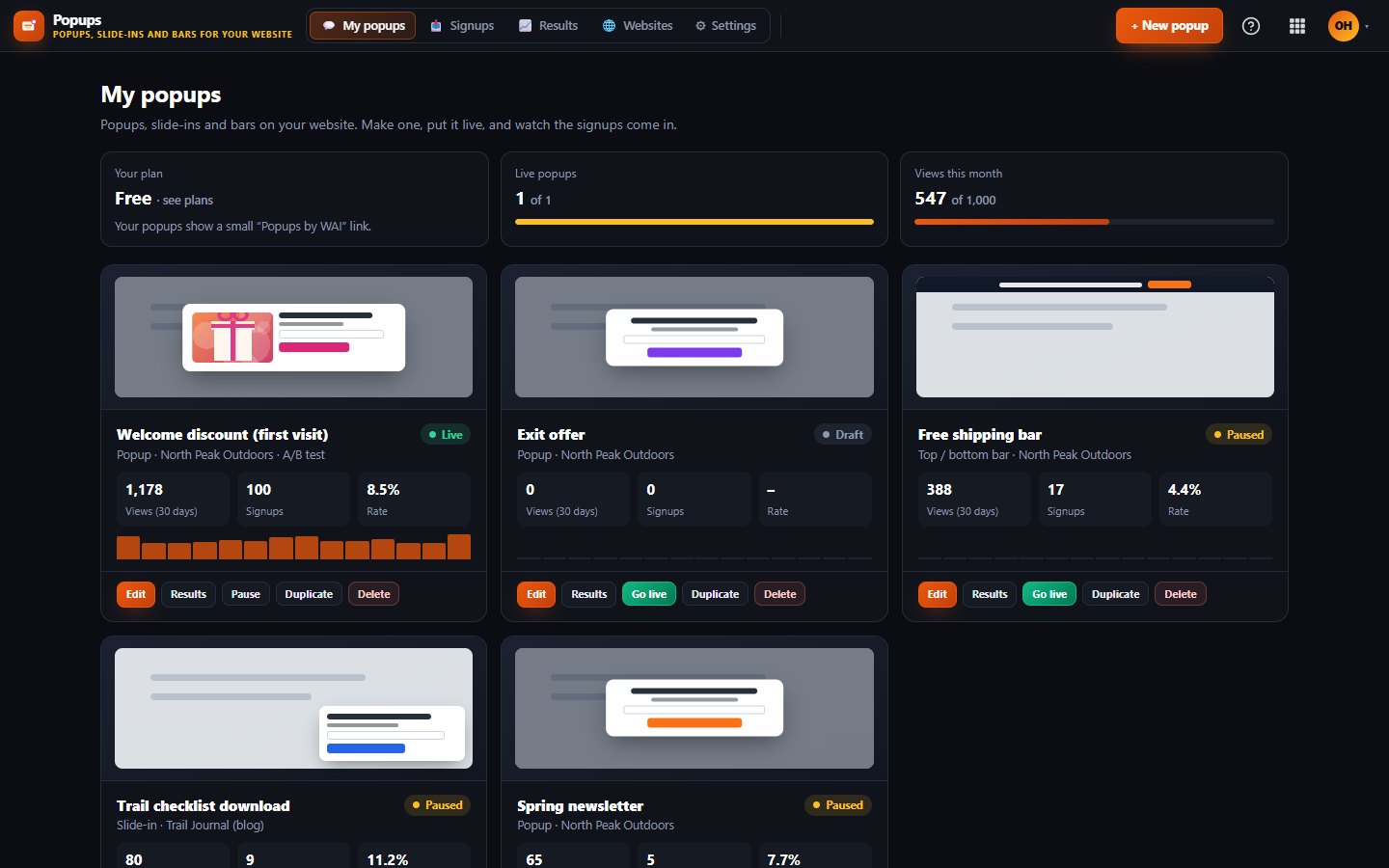
All your popups at a glance

What Popups does for you

Popups is for anyone with a website who wants more sign-ups, leads or sales from the visitors they already have. Offer a newsletter, a discount code or a free download in a popup, slide-in or announcement bar, and choose exactly when and where it shows.

Add one line of code to your site, and sign-ups can go straight into Newsletters and CRM.

Templates to start fast

Pick a newsletter sign-up, discount code, lead magnet, announcement bar, exit intent, call-back request or cookie-free notice, then make it yours.

Visual editor with live preview

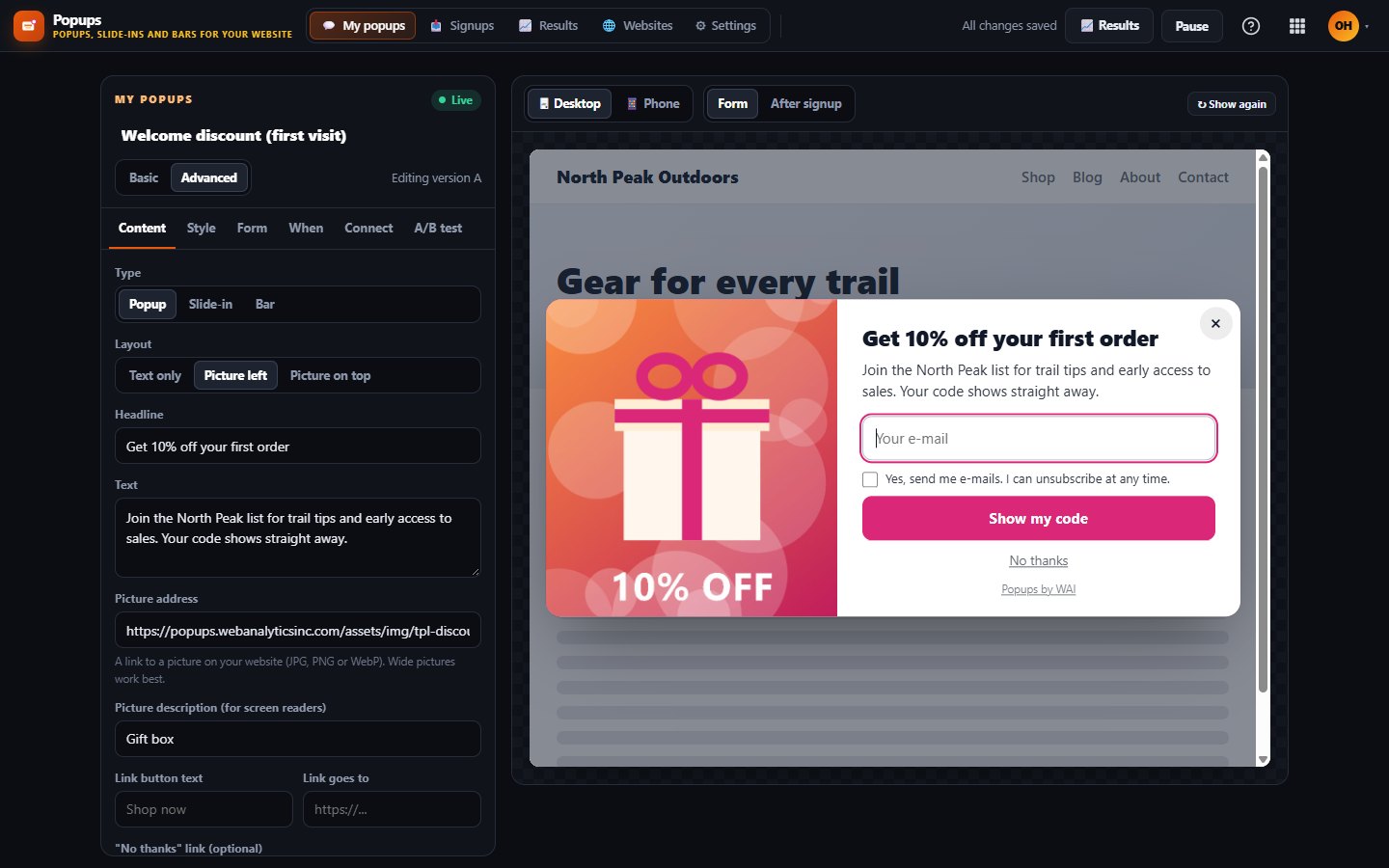
Change text, colours and form fields and see the real popup on desktop and phone, both before and after someone signs up. Changes save on their own.

Show it at the right moment

Show a popup after a few seconds, after scrolling or when someone is about to leave, only on the pages and devices you choose, to new or returning visitors, and as often as you like.

Polite on phones

On phones a popup becomes a small card at the bottom of the screen instead of covering the page, it closes with one tap, and it uses no cookies.

A/B tests and clear results

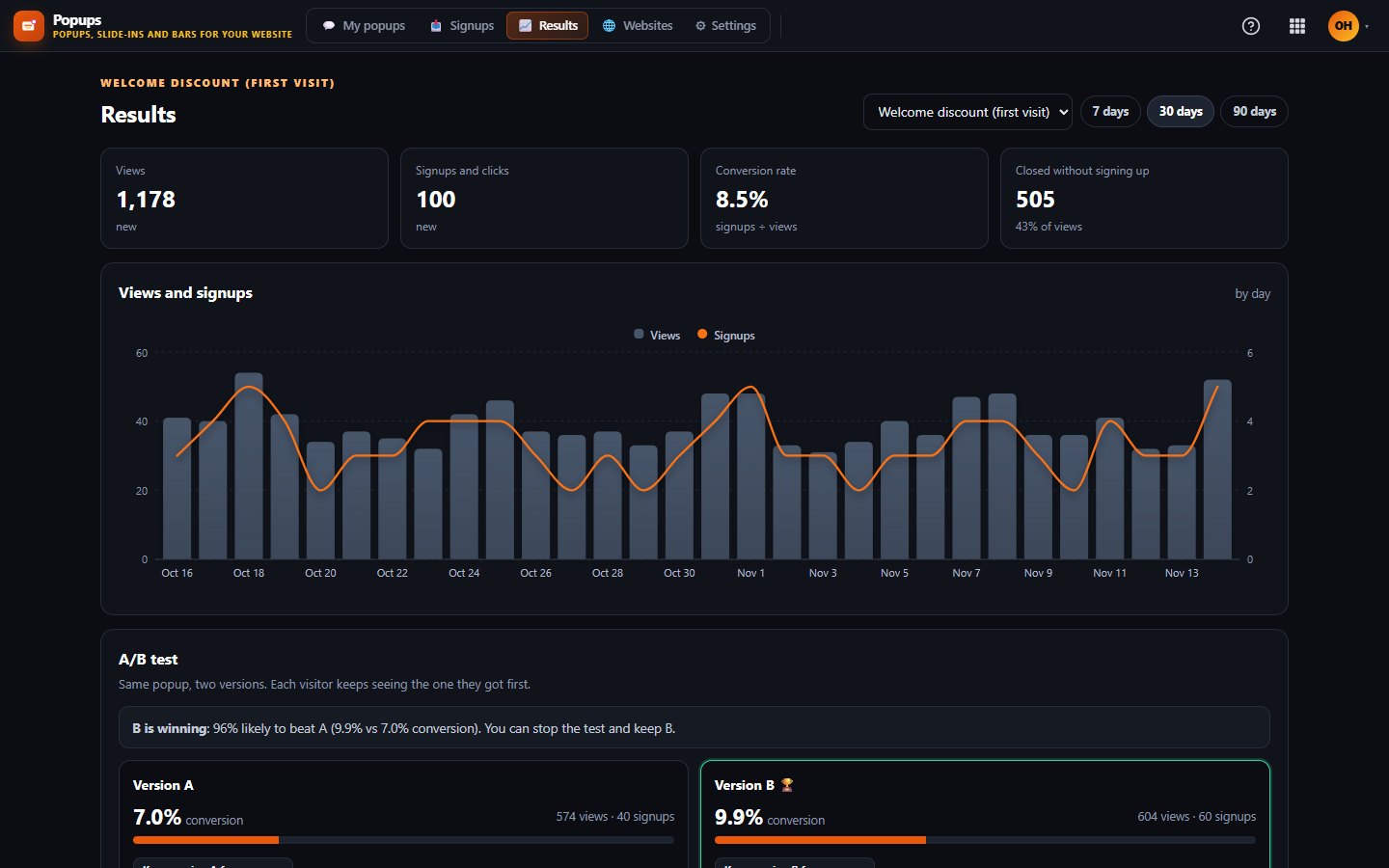
Try two versions, let visitors split between them and pick the winner when the numbers are clear. Charts show views, sign-ups, sign-up rate, devices and top pages.
Works with

NewslettersNewslettersSign-ups go into the Newsletters list you choose, with a consent box and double opt-in, so only people who confirm are subscribed.CRMCRMEach sign-up can add or update a contact in CRM by e-mail address.Online StoreOnline StorePick a discount code from your Online Store, and it is only revealed after a visitor signs up.FlowsFlowsFlows can start an automation every time someone signs up through a popup.

Inside Popups

Design it on a live preview
Results and A/B tests

What's included on each plan

Free

Free includes 1 live popup and 1,000 popup views a month.

Starter

Starter includes 10 live popups and 25,000 popup views a month, plus the API and webhooks.

Business

Business includes unlimited live popups and 250,000 popup views a month, plus the API and webhooks.

Included in every WAI plan

One subscription covers this app and every other business app: Free $0, Starter $19/mo, Business $49/mo for 5 users.

LimitFreeStarterBusiness
Live popups110Unlimited
Popup views a month1,00025,000250,000
Compare plans →

Questions

How do I put popups on my website?

Copy one line of code from the Websites page and paste it into your site, and we check that it is installed. If your site is built with WAI Websites, you can switch Popups on in its settings instead.

What happens when I reach my monthly view limit?

Your popups simply stop showing until the next month or until you move to a bigger plan, and your website keeps working as normal. You get a notification at 80 and 100 percent so it is never a surprise.

Do people really agree before they join my newsletter?

Yes. When a popup sends sign-ups to Newsletters, the consent box is always on, and each person still has to click the link in the confirmation e-mail before they are subscribed. Newsletters sending is off until our launch, so until then no confirmation e-mail goes out.

Get started with Popups

Free tier. No credit card. Change or cancel any time.

Try Popups →