Whiteboard

Whiteboard

An endless board to sketch, brainstorm and present
Open a whiteboard →

An endless board to sketch ideas, run a brainstorm and present the result

Draw with a pen or highlighter, add sticky notes, shapes, lines and pictures, group work in frames and present them one by one. Templates for brainstorms, retros, kanban, mind maps, SWOT and user journeys. Part of Diagrams, included in every WAI plan.

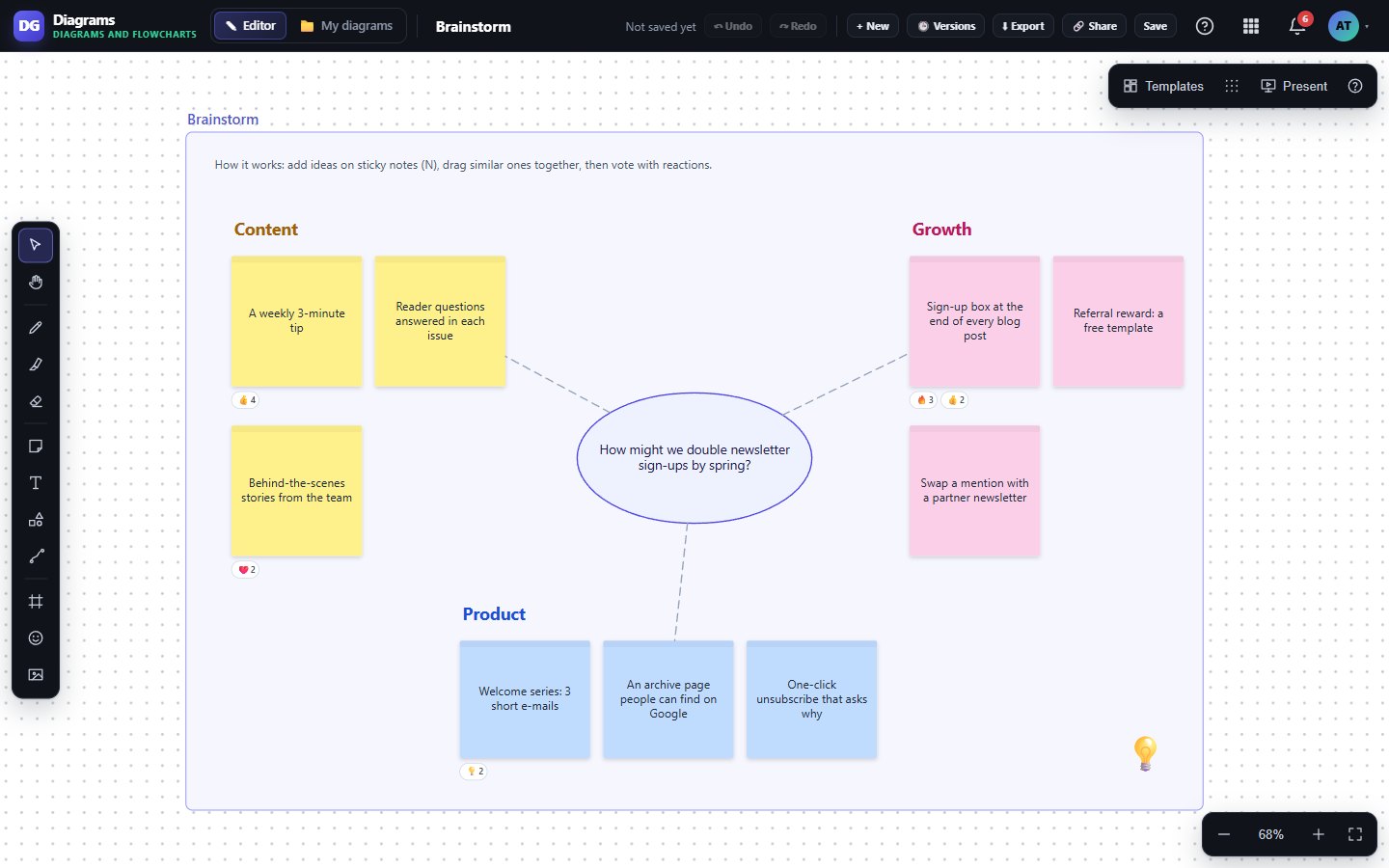
Brainstorm on an endless board

What Whiteboard does for you

Whiteboard is for teams and solo makers who think better when they can draw it out. Sketch with a pen, drop sticky notes and shapes, and link ideas with lines that stay attached.

It is part of Diagrams, so every board saves to your WAI account as you work and sits right next to your diagrams.

Draw like on paper

Pen, highlighter and eraser, with pen pressure on tablets. Once we see a stylus, a finger pans the board, so your palm does not leave marks.

Sticky notes that grow

Eight colors and five sizes, and each note grows with your text. Paste a list and every line becomes its own note.

Shapes and connectors

Every Diagrams shape is on hand. Connectors stay glued to items as you move them, as straight, right-angle or curved lines with arrows and labels.

Frames, templates, Present

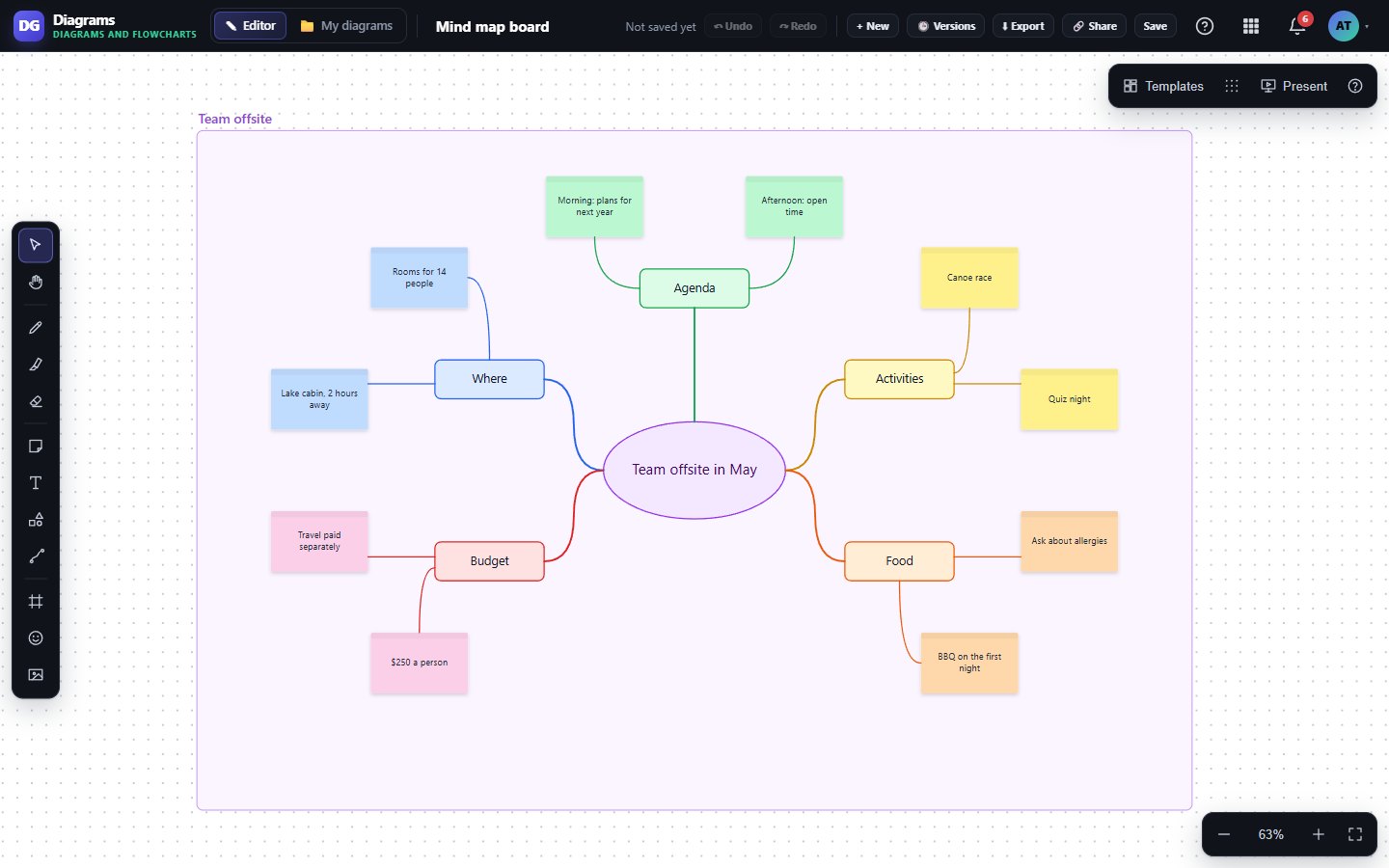
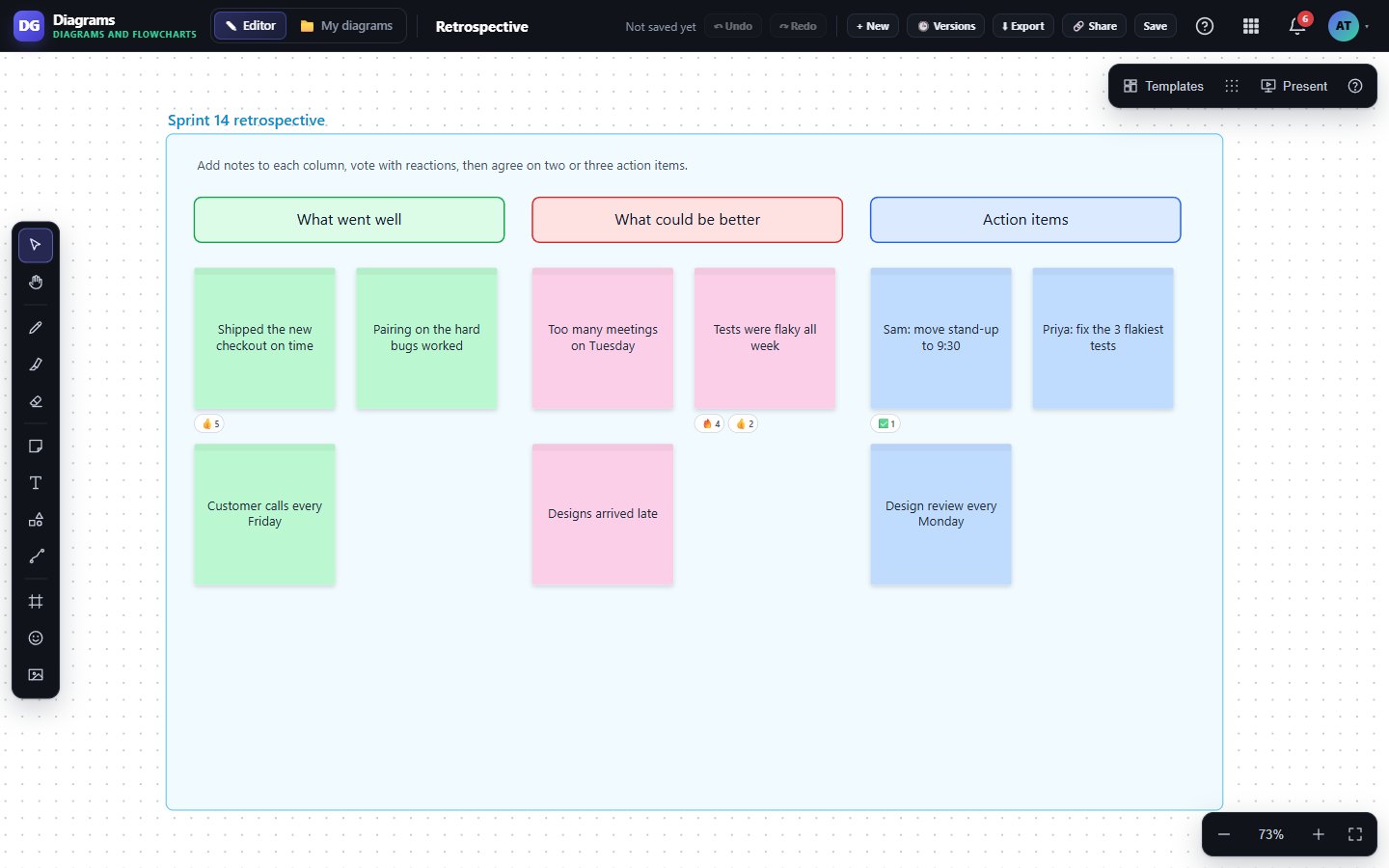
Start from a brainstorm, retro, kanban, mind map, SWOT or user journey board, group work into frames, then present them one by one in full screen.

Export, share and vote

Download PNG, SVG or PDF, one page per frame or the whole board, or send a view-only share link. Emoji reactions make quick voting easy.
Works with

DiagramsDiagramsWhiteboards are a document type inside Diagrams, so they share the same file list, shape library and share links.DriveDriveYour boards show up in WAI Drive with your other files, so you can search, star and open them from one place.

Inside Whiteboard

Ready-made boards
Ready-made boards
Mind maps that stay tidy

What's included on each plan

Free

Whiteboard has no plan limits, so every tool, template and export is included on Free for 1 user.

Starter

The same Whiteboard features as Free, with room for 2 users on your WAI account.

Business

The same Whiteboard features, with 5 users included and more seats available.

Included in every WAI plan

One subscription covers this app and every other business app: Free $0, Starter $19/mo, Business $49/mo for 5 users.

No limits on this app: the same on every plan.

Compare plans →

Questions

Can my team edit the same board at the same time?

Not yet. Today you share a board with a view-only link, and people who open it see the whole board and each frame. Editing together live is on our list but not built.

Do I need to press Save?

No. Changes save to your account a couple of seconds after you stop, and again when you close the tab.

Does it work on a tablet or phone?

Yes. Draw with a finger or a stylus, pinch to zoom, and pan with one finger on an empty part of the board. Pen pressure works on tablets that report it.

Who owns what I draw?

You do. Boards are stored in your WAI account and you can export any of them as PNG, SVG or PDF at any time. A share link stops working as soon as you turn it off or move the board to Trash.

Get started with Whiteboard

Free tier. No credit card. Change or cancel any time.

Open a whiteboard →