Support

Support

Chat, e-mail and forms in one inbox
Try Support →

Website chat, support e-mail and a contact form, answered from one team inbox

A shared help desk: website chat, your support e-mail and a contact form land in one team inbox. Assign, note, @mention, saved replies, help-article suggestions, ratings and reports.

One shared inbox for your team

What Support does for you

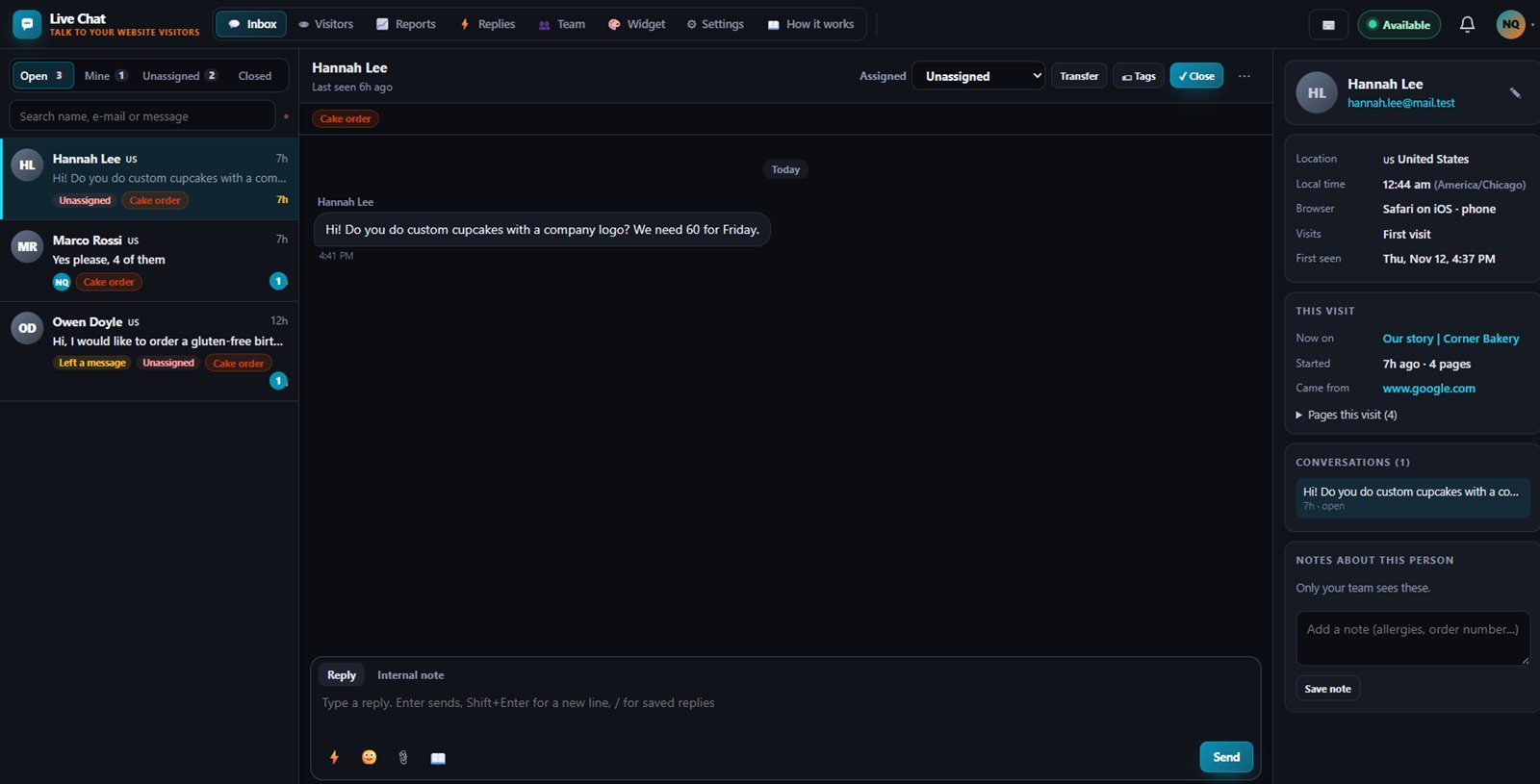
Support is a help desk for small teams that answer customer questions. Chats from your website, e-mails sent to your support address and messages from your contact form all land in one shared inbox, so nothing gets lost in someone's personal mailbox.

Chat replies and incoming e-mail work today. Replying to customers by e-mail is switched off until our launch.

Chat on your website

Paste one line of code and a chat button appears on your site, with your colours, greeting and team names. On phones it opens full screen, and outside office hours it turns into a leave-a-message form.

One inbox for every channel

Chats, e-mails forwarded to your support address and contact form messages sit side by side, with Open, Pending and Closed so you know what is waiting on you and what is waiting on the customer.

Teamwork without stepping on toes

Assign or transfer a conversation, write internal notes the customer never sees, mention a teammate, and see when someone else is already writing a reply.

Faster answers

Saved replies come up with a slash shortcut, and the inbox suggests matching Help Center articles you can link in one click. Visitors also see article suggestions while they type.

Know who you are talking to

The sidebar shows the page the visitor is on, where they came from, their local time and every earlier conversation with them.
Works with

Help CenterHelp CenterConnect your Help Center to search and link articles from the inbox, show suggested articles to visitors, and turn the Help widget's contact button into a chat.CRMCRMThe conversation sidebar looks up the customer in your CRM by e-mail, or adds them as a new lead in one click.FlowsFlowsFlows can start an automation when a new conversation arrives or when one is closed.

Inside Support

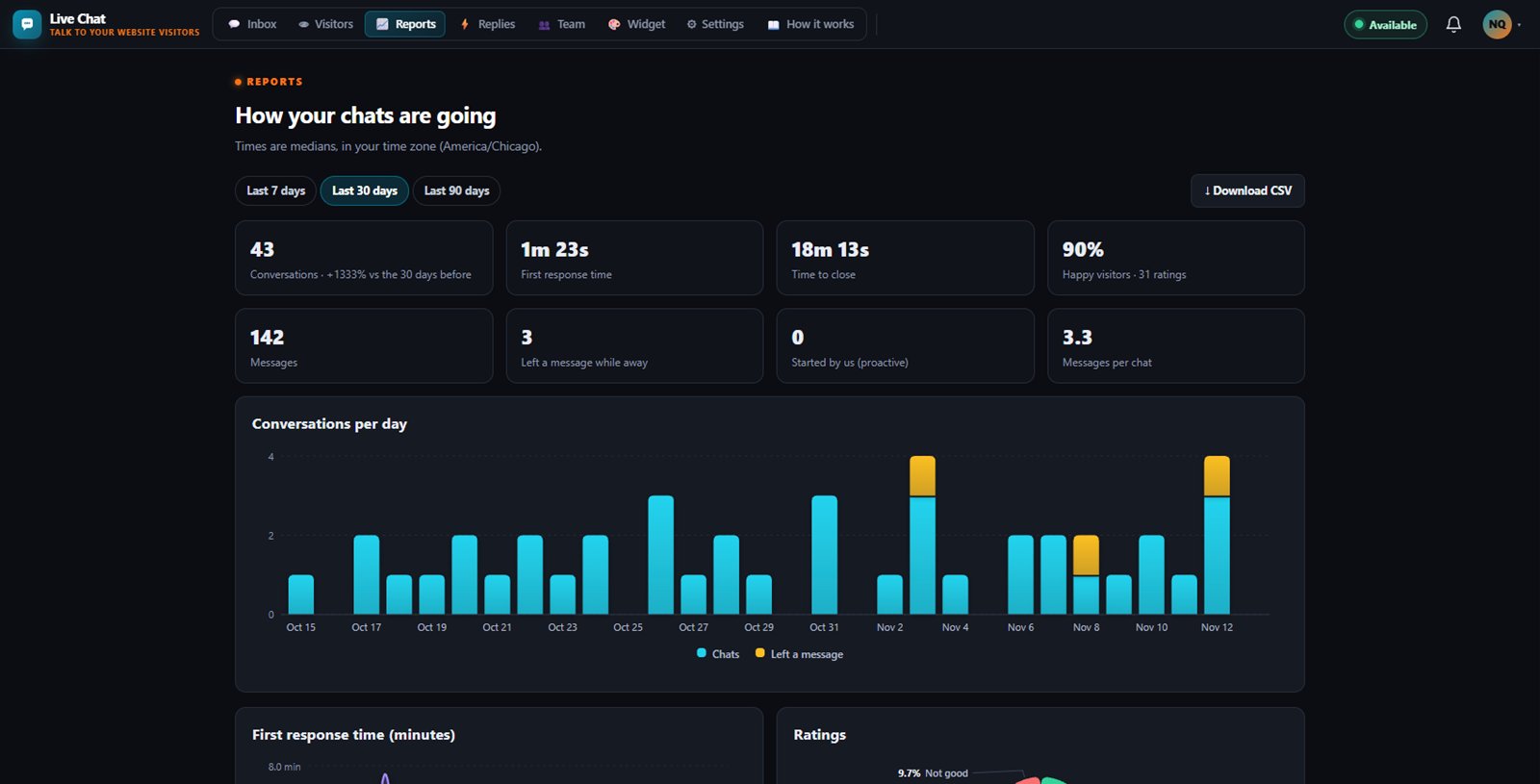
See how your team is doing

What's included on each plan

Free

Free includes 1 support agent and 1 e-mail inbox.

Starter

Starter includes 2 support agents and 3 e-mail inboxes, plus the API and webhooks.

Business

Business includes 25 support agents, 10 e-mail inboxes, assignment rules and response time targets (SLAs), plus the API and webhooks.

Included in every WAI plan

One subscription covers this app and every other business app: Free $0, Starter $19/mo, Business $49/mo for 5 users.

LimitFreeStarterBusiness
Support agents1225
E-mail inboxes1310
Rules + SLAs (Advanced)Not includedNot included1
Compare plans →

Questions

Can I answer customers by e-mail today?

Incoming e-mail works now: forward your support address and messages arrive in the inbox within seconds. Sending your replies back by e-mail is built and switched off until our launch, and the conversation clearly shows when a reply was saved but not e-mailed.

What happens when nobody is online?

Set office hours with your time zone and the widget shows when you will be back plus a leave-a-message form. Your team gets a notification, and missed chats are flagged after five minutes.

What happens when I reach my agent limit?

You can still answer every conversation, but inviting another agent shows an upgrade option. Open invitations count toward the limit until they are accepted or cancelled.

Get started with Support

Free tier. No credit card. Change or cancel any time.

Try Support →